Approving Content
The Create function allows you to create and publish original content with an easy to use WYSIWYG editor.
For further information on who has access to approve content please see Permissions
Approving Content
- Go to the Admin Menu
- Click Content > Content to Approve - You will then see a list of all articles awaiting approval
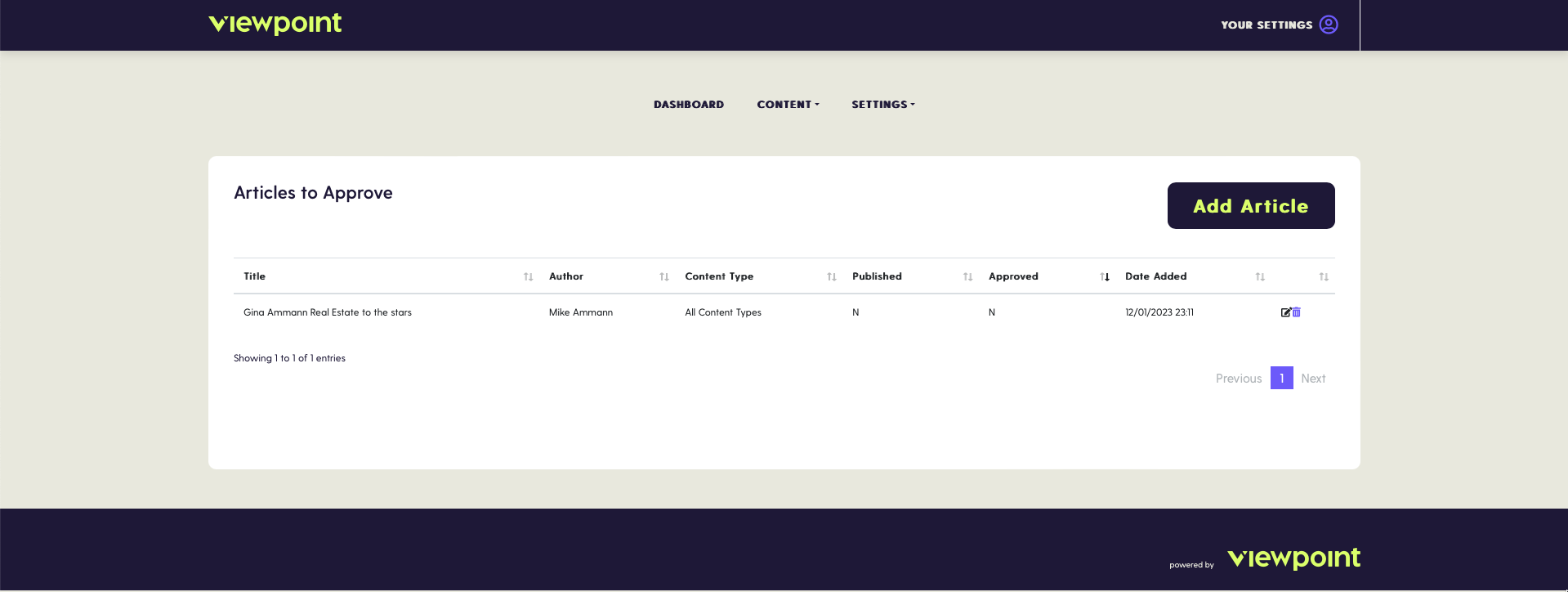
- Click the pencil icon on the content you want to approve
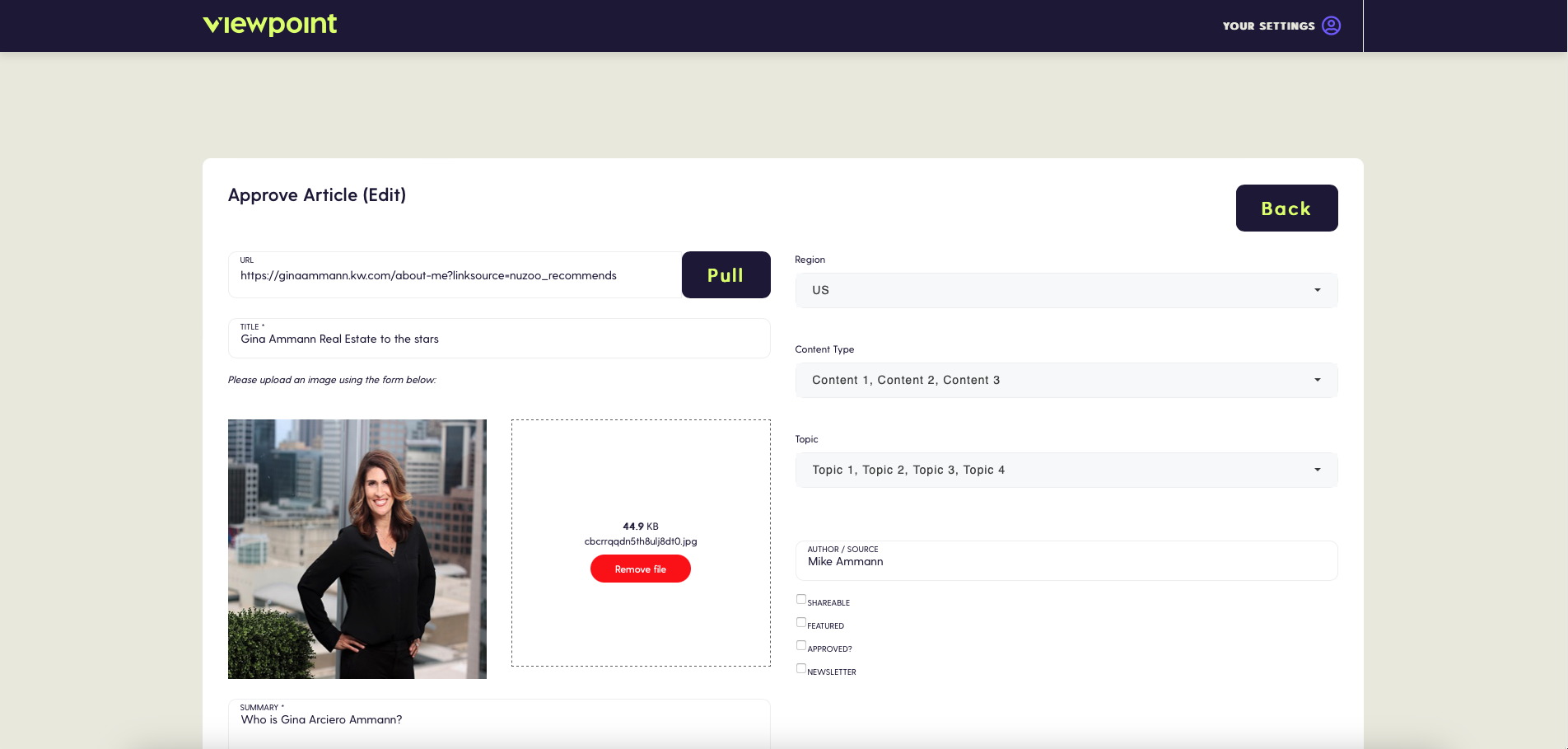
- Review the article and ensure you are happy with the chosen content, tags and options
Publishing
- Mark the article as approved
- Click ‘Publish’