Content Tagging
When using Create or Curate to add content, use the multi-select dropdown fields to add tags. The tags define which categories your content will be displayed under. If users have those tags selected in their preferences, Viewpoint will send them notifications once that content is available.
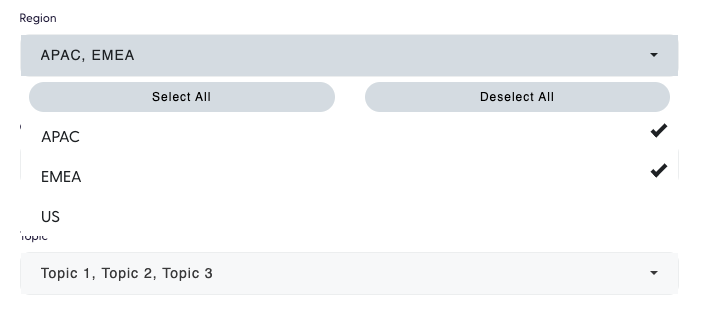
When selecting tags, you can use either select one or more tags you wish to add, or use the Select all option to apply all tags at once.
Content Type
This is generally representative of the content medium.
Example:
- Blog
- Event
- News
- Podcast
- Video
Topic
This is generally representative of subject matter. Some clients will use this for various product lines or service areas
Example:
- AI
- Automation
- Big Data
- Cloud
- Cyber Security
- ITSM
- Monitoring
- Security
Vendor (optional)
Some Clients particularly distributors, may have a multi Vendor platform, meaning they can publish content from multiple Vendors. If this is the case, you will have additional tag field called Vendor where you can specify a particular Vendor that the content relates to.
Region (optional)
Some Clients may have a multi Region platform, meaning they can publish region specific content. If this is the case, you will have additional tag field called Region where you can specify a particular Region that the content relates to.