User Permissions
Permissions are set at a user level, and will control the ability of certain functionality within the system. See below for an explanation on the user types, and what each permission tier includes.
User Types
Reader
A Reader user can only access the home page, and their user settings. This is the standard option for all subscribers.
Editor
An Editor user, has the same permissions as a Reader user, but also has access to the Admin menu to add content, but not publish.
Admin
An Admin user, has the same permissions as an Editor user, but can approve content and therefore publish, and has access to additonal Admin menus, such as Users and Domains
Changing User Permissions
To update a User permissions:
- Go to the admin menu
- Click
Settings>Users - Click
editon the user you want to modify
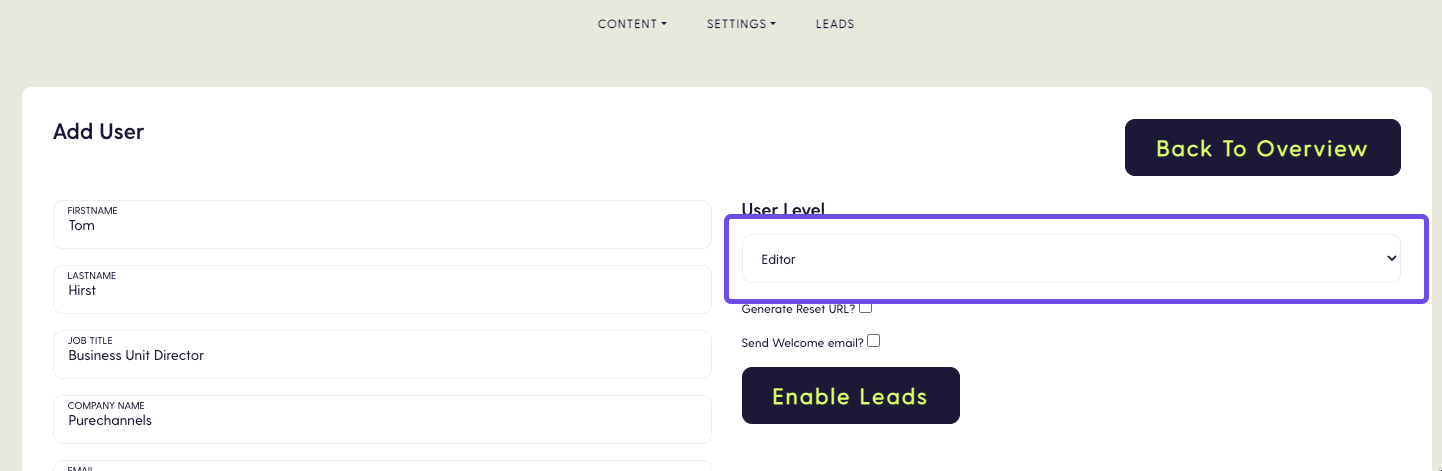
- Select the correct permission in the
User levelfield - Click
Save user